






























































HR HELP DESK

Streamlined HR requests.
Happier HR professionals.

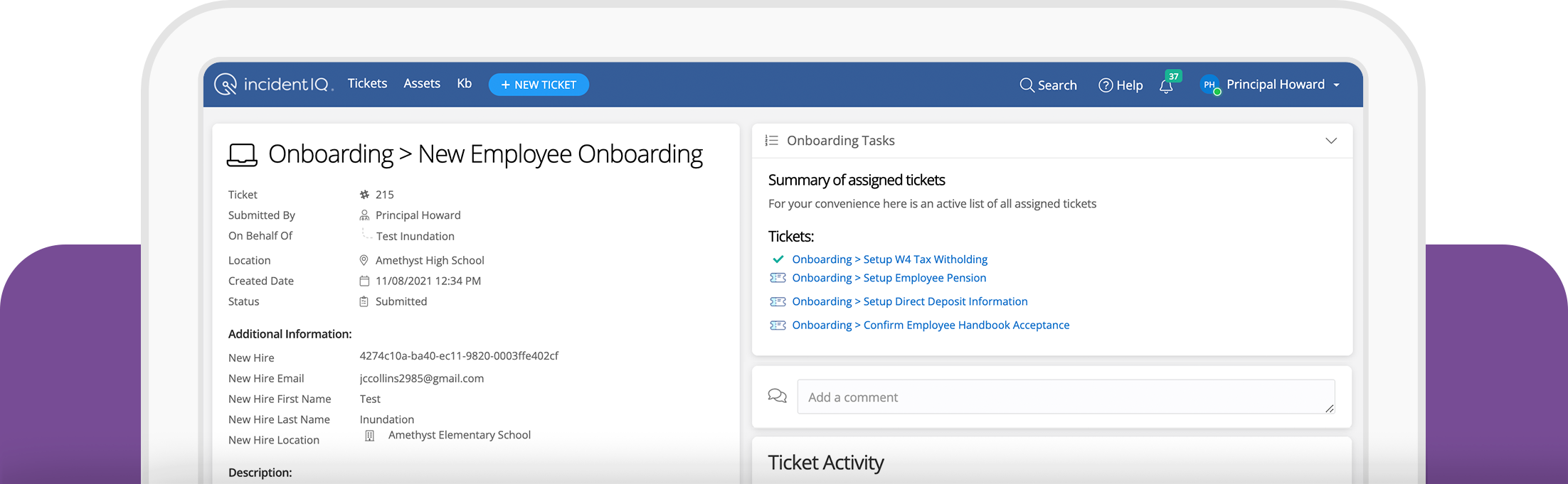
Incident IQ’s HR help desk allows K-12 staff to submit their own human resources requests. Our HR help desk eliminates drive-bys, streamlines workflows, and provides HR teams with clarity in their tasks.

Laptop with screenshot of Incident IQ's HRSD Help Desk

SELF-SERVICE PORTAL

Empower K-12 staff to submit employee requests.

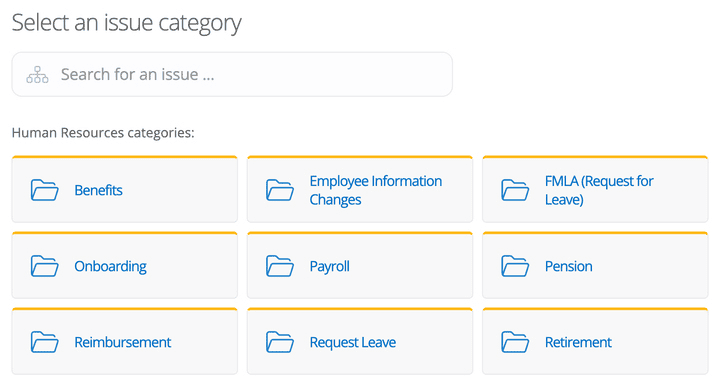
K-12 faculty and staff can initiate HR requests for new employee onboarding, offboarding, assistance with HR policies or paperwork, and more.

View of HR categories within Incident IQ's HR help desk.
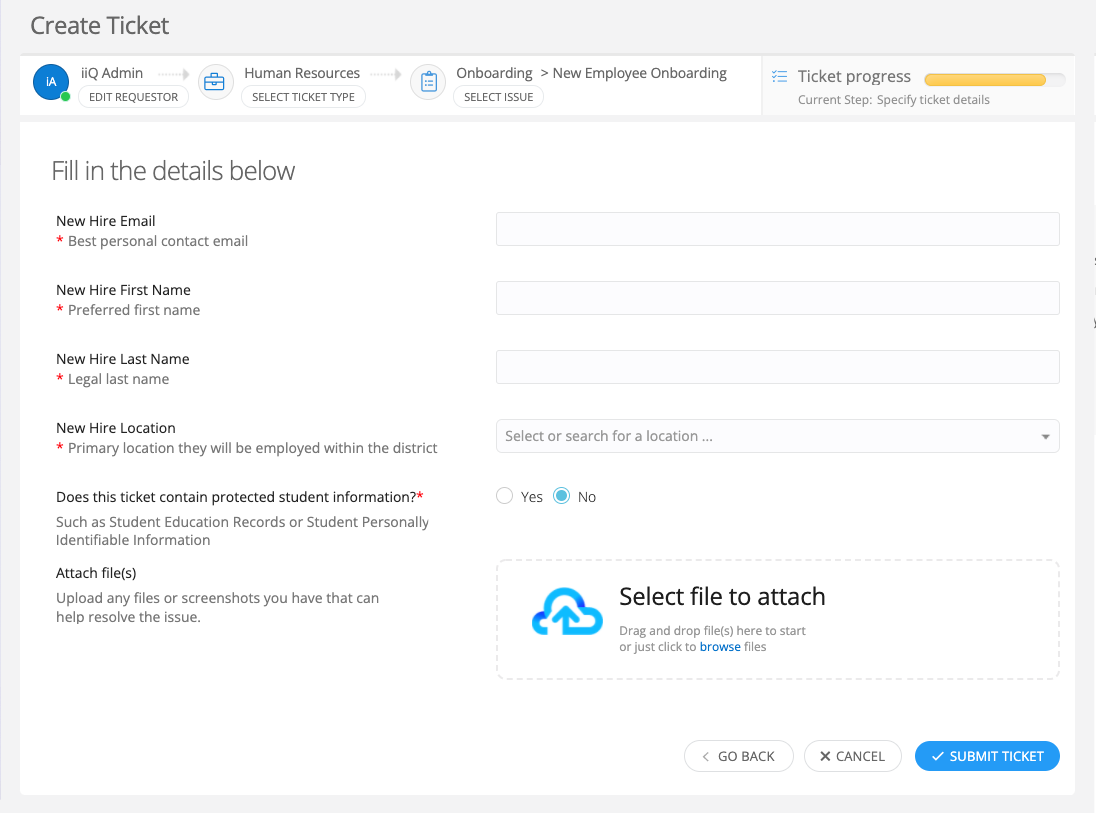
Ticket creation screen on Incident IQ platform

CUSTOM FIELDS

Create forms tailored for your HR processes

Ensure that HR requests contain the information you need the first time—minimizing the need for back-and-forth emails. Add custom fields tailored to individual request types, and provide your team with data-rich HR support tickets.

HR WORKFLOW AUTOMATIONS

Automate admin tasks and focus on what’s important.

Route requests, elevate priority, and notify employees based on automations that work best for your workflow. With automations, your HR department can focus on the high-value tasks that matter most.

Circular purple background with horizontal bar graph icon

HR COLLABORATION TOOLS

Stay in touch with effective collaboration tools.

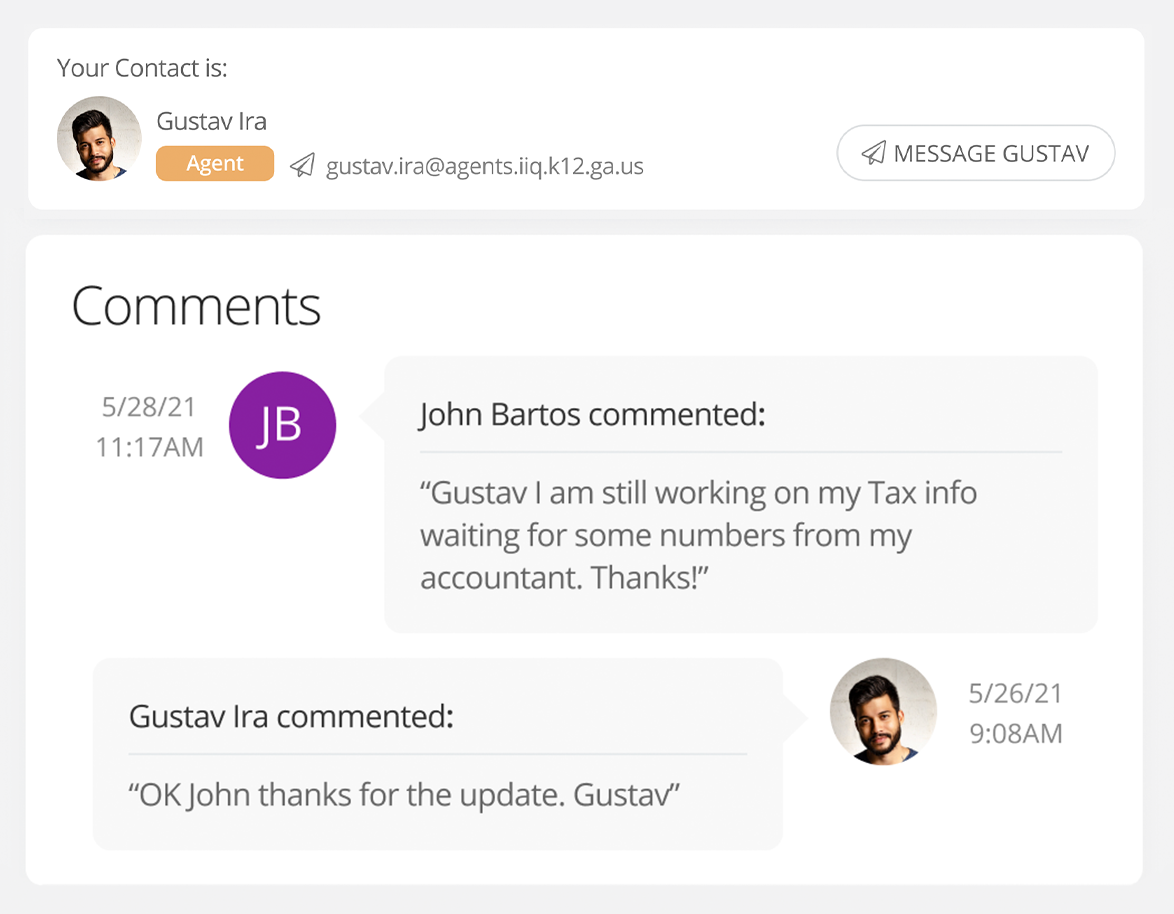
HR Service Delivery lets you add followers to requests or create specialized teams to keep all required K-12 personnel and HR team members in the loop. Users can add comments in-app or from an email notification, making it easy to keep everyone updated.

Screenshot of two agents' comments to each other about an admin update via Incident IQ's integrated help desk

HR HELP DESK FAQ

What is an HR help desk?

An HR help desk is a centralized support platform that optimizes HR operations by addressing employee issues and inquiries. It serves as a type of HR service desk.

By enabling employees to submit HR tickets, HR help desks streamline HR processes, reduce response times for HR requests, and aid in achieving prompt resolutions for HR-related concerns.

How does an HR help desk help a K-12 school?

Using an HR Help Desk solution simplifies K-12 HR processes in several ways:

  • Simplifies employee onboarding for new hires of faculty and support staff
  • Speeds up processing times for employee requests
  • Assists in timely employee terminations and associated form completions
  • Enables faculty and staff to request company policies and employee benefits pertaining to their specific work agreements

Having an HR help desk to assist in these tasks also eases the workload for the HR staff, allowing them to focus on strategic initiatives and fostering a positive work environment that promotes employee satisfaction within the school.

What are the benefits of an HR help desk?

HR help desks boost employee engagement by providing a reliable channel for employees to request prompt assistance, leading to a greater sense of support within the workplace.

They also streamline onboarding processes for new hires, ensuring a smooth transition and effective integration into the company culture. This, in turn, contributes to a better new employee experience, and higher retention rates.

HR help desks also save valuable time for HR professionals by efficiently handling routine inquiries and administrative tasks. Ultimately, this comprehensive support enhances overall HR operations, leading to a more successful and engaged workforce.

What should an HR help desk solution include?

An effective HR help desk solution should encompass several essential features that provide employee support. It must contain a robust ticketing system that enables users to log and track employee inquiries and HR-related issues. It should also feature reporting and analytics tools for assessing performance metrics, identifying trends, and continuously improving the help desk’s and HR team’s efficiency.

An ideal help desk software solution can do all of those things, while also providing prompt and reliable customer support for HR managers via chatbot, email, or phone, especially during the first few months of software set-up and roll-out.

Related Resources

8-Step Project Plan for Rolling Out a Help Desk Ticketing System

The success of your K-12 IT support team often comes down to how well students and faculty make use of your help desk. You might launch your help desk at the start of the year and assume that all your support requests will be managed effortlessly. Unfortunately, without a proper project plan, your n …

How To Build a Help Desk Knowledge Base: The 5-Step Guide for K-12 IT Admins

Building a comprehensive knowledge base can be challenging. Read this guide for tips on how to launch a help desk knowledge base that meets your district’s needs.

What Is School Help Desk Software?

See how K-12 districts use school help desk software to quickly respond to technology issues and better support teaching and learning.

Ready to Talk?

Discover what Incident IQ can do for your district.