






























































HR ONBOARDING PIPELINE

Get new hires up and running fast.

Get out of your inbox, keep everything organized, and automatically assign tasks to the right employee or department.

Incident IQ Employee Onboarding

NEW HIRE PORTAL

Eliminate endless back and forth emails.

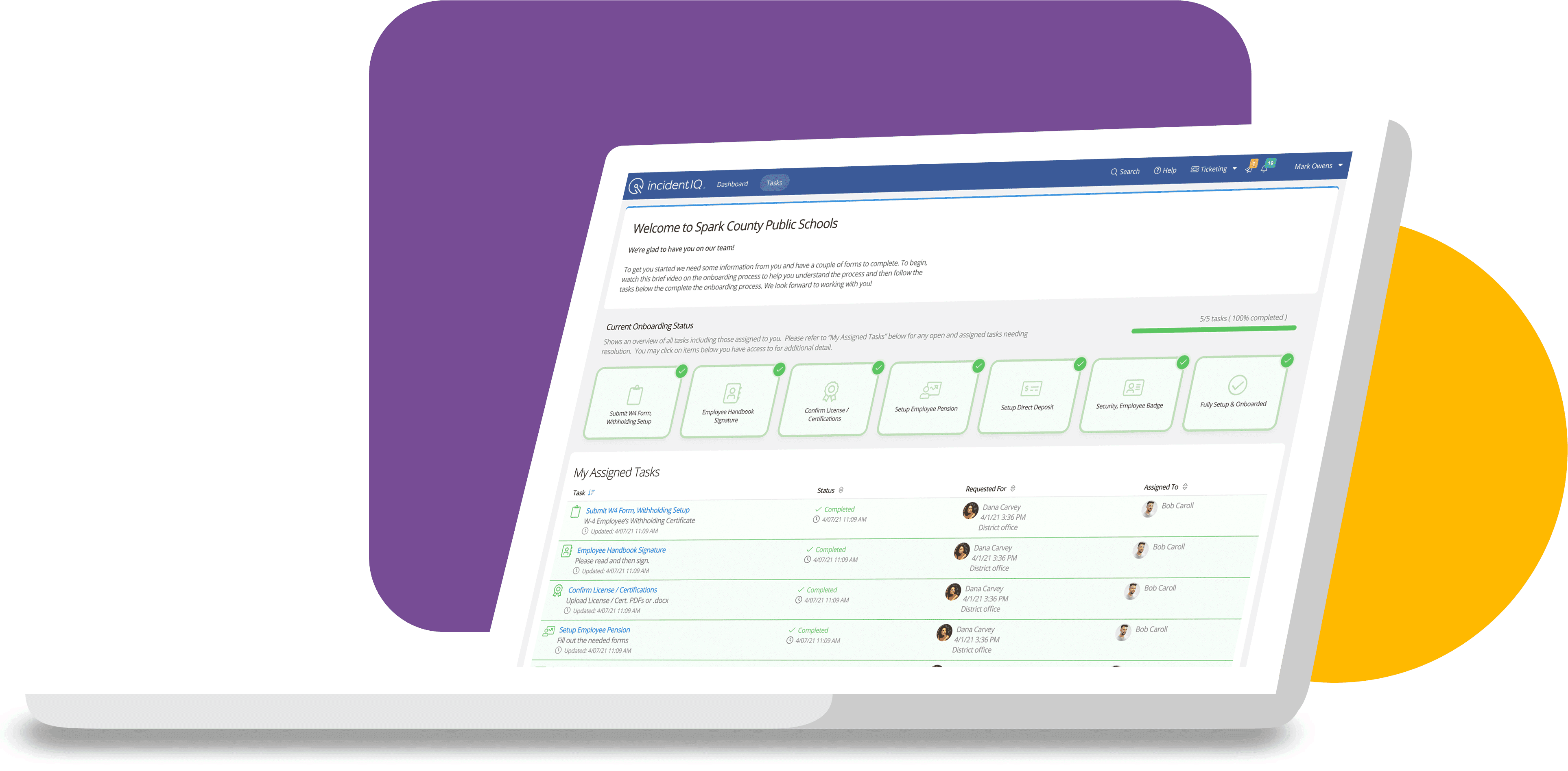
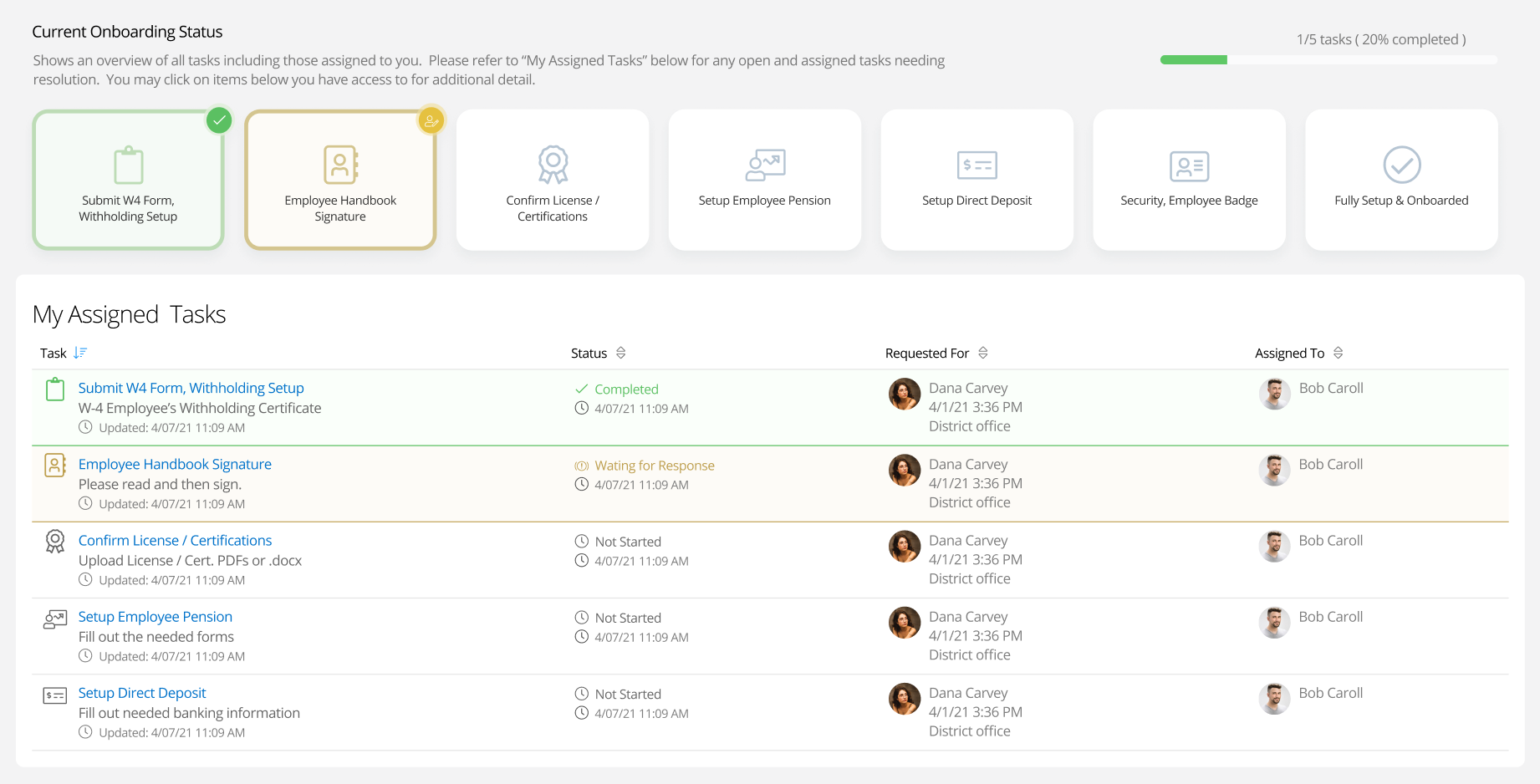
Speed up the onboarding process and know exactly where new hires stand. The New Hire Portal guides new employees through the onboarding process step-by-step, and allows HR teams to track their progress.

Screenshot of new hire portal on Incident IQ platform

HR FORM DESIGNER

Create and manage custom forms.

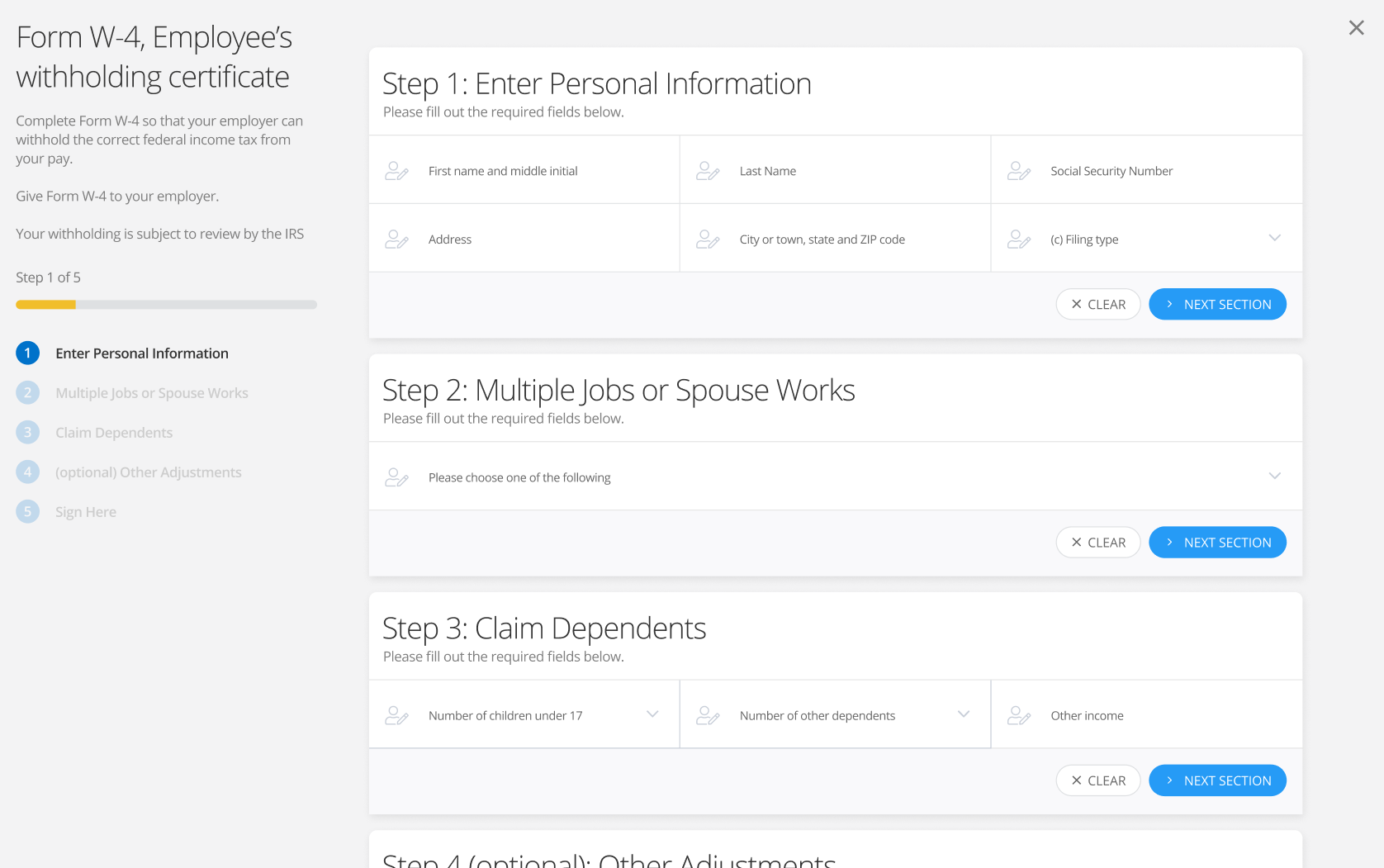
Take the guesswork out of your paperwork with a digital forms experience. The drag-and-drop Form Designer lets you design custom forms, distribute documents digitally, and collect signatures electronically.

W4 form creation screen through Incident IQ's Form Manager app
Circular purple background with horizontal bar graph icon

HR WORKFLOW AUTOMATIONS

Automatically assign onboarding tasks across departments.

Streamline your onboarding process by automatically assigning and notifying other departments when pending tasks need to be complete—such as assigning employee devices or creating new accounts for district software platforms.

HR WORKFLOW REPORTING

Improve your onboarding workflow with data that matters to your team.

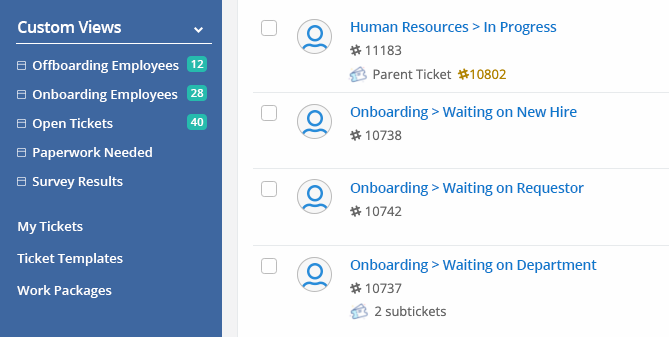
HR departments work better together. Create and share detailed, live-updating reports with your team to keep everyone on the same page and address workflow bottlenecks.

Screenshot of ticket workflow reporting on Incident IQ platform

Related Resources

8-Step Project Plan for Rolling Out a Help Desk Ticketing System

The success of your K-12 IT support team often comes down to how well students and faculty make use of your help desk. You might launch your help desk at the start of the year and assume that all your support requests will be managed effortlessly. Unfortunately, without a proper project plan, your n …


Top 3 Essentials for Standardized K-12 Help Tickets

Help desk software is an essential part of today’s K-12 IT support. For any newbies to the K-12 IT scene, a help desk refers to the portal where end users (students, staff, parents, et cetera) request help support. As Capterra points out, “help desk software can make [technicians’] jobs easier …

5 Considerations When Choosing K-12 Help Desk Software

Here are all the considerations you need to make before choosing a new K-12 help desk tool.

Ready to Talk?

Discover what Incident IQ can do for your district.