







































































FACILITIES MANAGEMENT SOFTWARE FOR SCHOOLS
Better facilities management,
built for K-12 schools
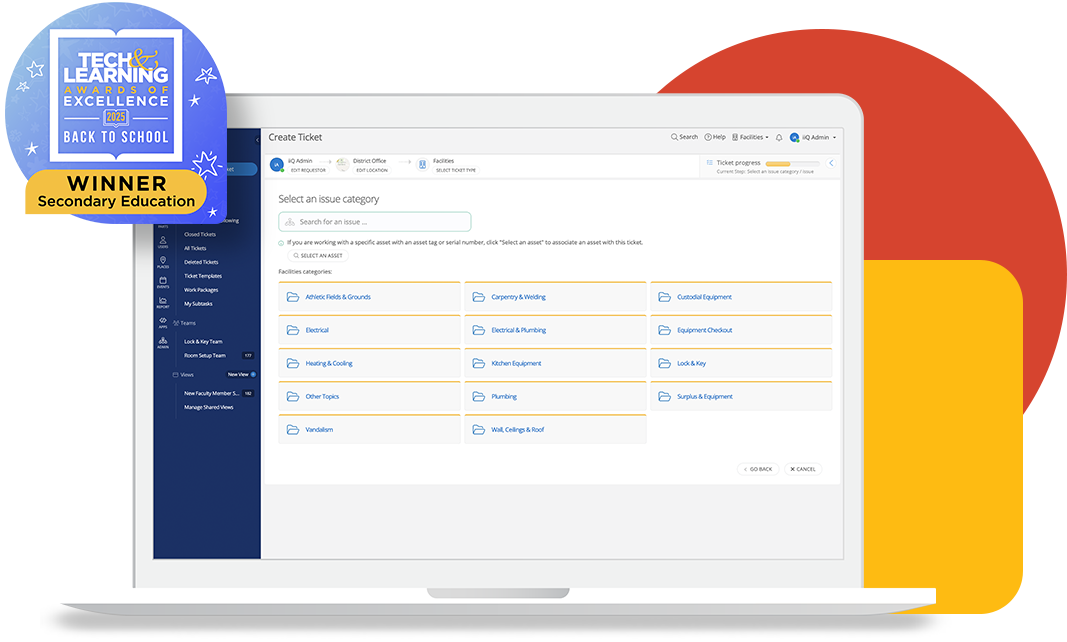
Built for K-12 districts, iiQ Facilities speeds up work order creation and routing, reducing response times and eliminating manual sorting. From maintenance requests to preventative tasks, your team gets the context and control needed to act fast and minimize downtime.
Trusted by facilities teams in school districts of all sizes

Comal ISD (TX)

Fayette County Public Schools (GA)

Hillsboro SD (OR)

Moore PS (OK)

West Orange Public Schools (NJ)

Cherokee County School District (GA)
Discover how Incident IQ helps K–12 districts streamline facilities operations

K-12 FACILITIES WORK ORDER MANAGEMENT
Speed up and simplify work order processes
Reactive maintenance can overwhelm school teams. With iiQ Facilities, you can easily assign, approve, and execute work orders with fewer clicks. Staff can quickly submit requests, and maintenance teams have the tools to prioritize work, track progress, and communicate in real time.
LEARN MORE ABOUT WORK ORDER MANAGEMENT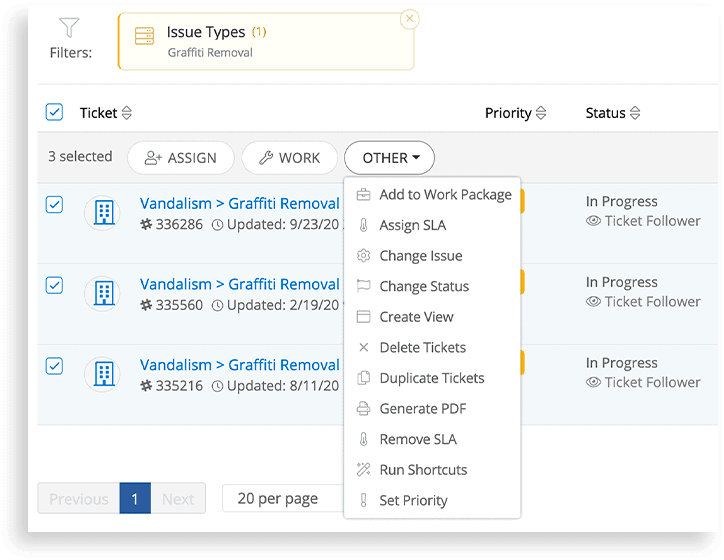

PREVENTATIVE MAINTENANCE IN SCHOOLS
Reduce unplanned downtime with proactive facility maintenance work
Automate preventative maintenance schedules with templates, checklists, and manuals so technicians always have what they need. Use calendars to plan and reporting tools to stay on top of compliance.
LEARN MORE ABOUT PREVENTATIVE MAINTENANCE SOFTWAREFACILITY FLOOR PLANS AND MAPS
Understand your buildings better with digital mapping
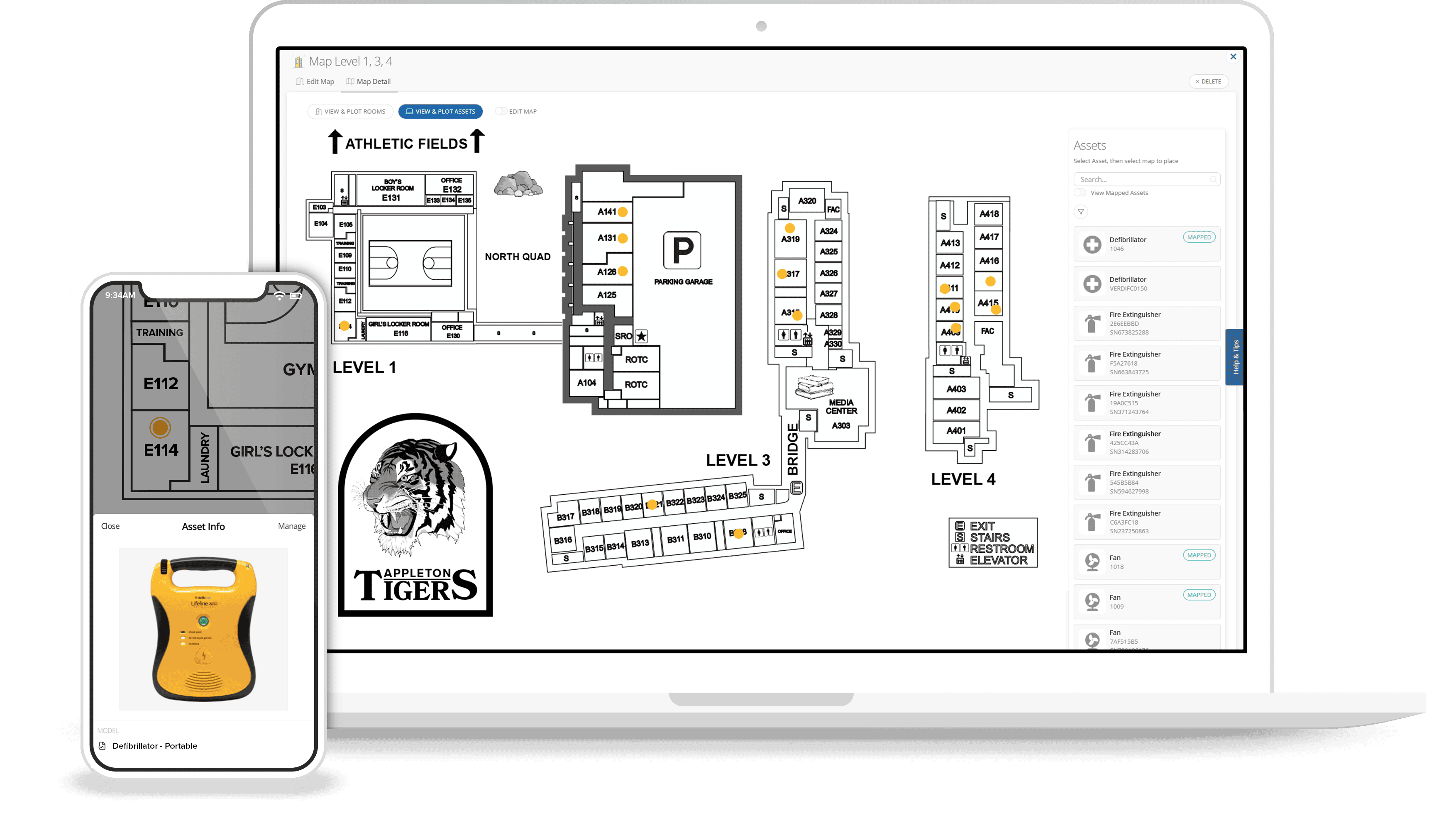
Interactive floor plans help staff understand each room before they even step inside. Link work orders, asset details, and maintenance history to each location to give technicians the full picture. With digital mapping, technicians spend less time searching and more time solving.
INVENTORY MANAGEMENT FOR SCHOOLS
Get a real-time view of your facility asset data and inventory management
iiQ Facilities links asset data directly to work orders, so your team can update parts, inventory, and warranties in real time, keeping records accurate across every school. With automated alerts and tools like Asset Explorer, you can restock supplies, track usage and depreciation, and support data-driven decision-making around repairs and budgeting.
LEARN MORE ABOUT INVENTORY MANAGEMENT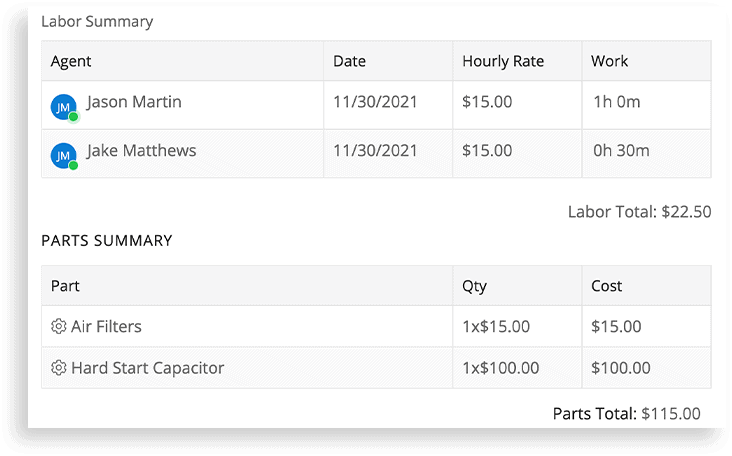
K-12 FACILITY CMMS REPORTING
Turn maintenance data into insights you can act on
Use real-time dashboards and custom reports to justify resource needs, track progress, and show results to school leaders. Filter by building, team or asset to uncover trends, highlight impact, and guide smarter planning. With a 360-degree view of operations, inefficiencies become visible—and fixable.
LEARN MORE ABOUT MAINTENANCE ANALYTICS
APPS & INTEGRATIONS
Integrations connect district’s systems and data to Incident IQ
API-driven apps, integrations, and support flows give facilities teams the data and tools they need to work efficiently.
EXPLORE FACILITIES APPS & INTEGRATIONS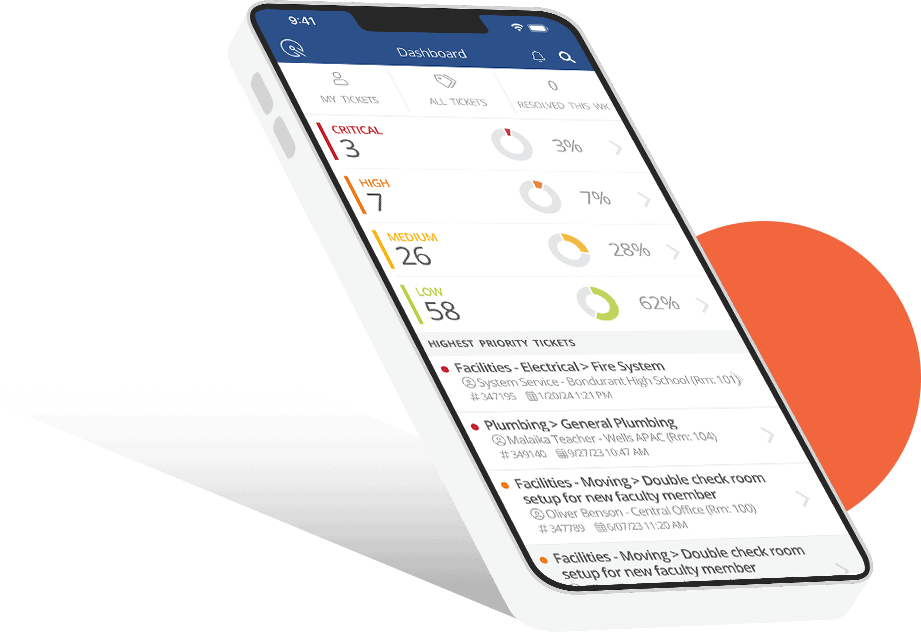
MOBILE FACILITIES MANAGEMENT
All the school facility management tools you need in your pocket
With iiQ Mobile, teams can track tasks and access key information from their iOS and Android mobile devices. Shortcuts help technicians move faster, and automatic updates keep everyone aligned—no matter where they are.
LEARN MORE ABOUT OUR SCHOOL MANAGEMENT APPA CMMS built for K-12 is the best way for school districts to:
Increase efficiency with connected workflows and mobile tools

Centralize communications for more transparency across teams

Use data to make smarter decisions on staffing and spending
FACILITY MANAGEMENT SOFTWARE FOR SCHOOLS FAQ
What is facilities management software for schools?
Facilities management refers to the comprehensive oversight and coordination of maintenance operations related to the physical infrastructure of educational institutions. It involves maintaining school buildings and grounds to keep them functional and compliant with regulations.
K-12 public schools often use a Computerized Maintenance Management System (CMMS) to do more with limited resources. These systems improve resource management, streamline maintenance processes, coordinate teams on tasks like repairs, inspections, and HVAC servicing, and provide essential reports. By managing facility operations more efficiently, schools can minimize downtime, reduce disruptions, and support a safe, productive learning environment.
Do I need a computerized maintenance management system (CMMS) for my school's facilities?
Yes. A CMMS is a smart investment for public schools, especially those managing aging buildings and tight budgets.
Incident IQ’s platform helps districts improve operational efficiency by simplifying facility scheduling, inspections, and repair workflows in one place. Its user-friendly design makes scheduling and documenting maintenance tasks easier than ever, while supporting preventative maintenance planning and improving resource allocation across departments.
With access to real-time data, school leaders can make informed decisions that support long-term planning. Built-in document storage keeps manuals and warranties organized, helping maintain compliance and reduce liability.
How does a CMMS benefit me, my team, and my school?
Implementing a CMMS will streamline maintenance and operations activities, allowing you to automate workflows, capture critical details on work orders, and create seamless communication between team members and other departments. You can also create preventative maintenance schedules to ensure routine tasks are always completed as they should be and avoid critical failures.
A CMMS provides a 360-degree view of your entire operations from an easy-to-use interface.
How can Incident IQ streamline processes besides maintenance management?
Incident IQ’s software solutions—including service desk ticketing, HR help desk ticketing, and asset management—streamline every aspect of K-12 operations, even beyond facilities management.
Our asset management software for schools enables asset tracking, which allows schools to efficiently manage and optimize asset performance throughout their lifecycles. The integration of floor plans and barcode scanning simplifies asset location/retrieval and inventory management. Asset data like warranty details and preventive maintenance schedules can be easily added, reducing manual efforts and reliance on spreadsheets.
Our help desk software for schools follows your preferred workflows to automatically route tickets and improve response times. It also lets teams review asset service histories and resolve requests quickly, keeping student and faculty devices up and running for learning.
Our HR software for schools provides an effortless solution for creating and sharing essential forms and for onboarding new hires. It also provides K-12 teams with a self-service hub so they can easily help themselves or submit an info-packed service ticket for the HR team to review and resolve.
Our event management software allows faculty and staff to reserve rooms, request equipment, automatically launch event preparation workflows, and add their events to a school- or district-wide event calendar, all in one place.
And to top it all off, the cloud-based nature of Incident IQ’s school management software and the added Incident IQ school management app allow teams to work tickets in real time and collaborate seamlessly, from anywhere.
Explore all the products in the Incident IQ platform
School district ecosystems are complex. Incident IQ unifies the workflows your district relies on for managing requests, resolving issues, and tracking assets. This means you can focus on what matters most: students.

School Asset Management Software
Maximize your technology investments with richer data into your assets’ lifecycles
LEARN MORE

School Help Desk Software
Build service management workflows tailored for your district’s needs
LEARN MORE

Instructional Materials Management for Schools
Manage the diverse range of curriculum resources with unmatched flexibility
LEARN MORE
School Facilities Management Software
Organize and accelerate your facility operations with a user-friendly system
LEARN MORE

School Event Management Software
Simplify event management with greater visibility and centralized communication
LEARN MORE

HR Service Delivery for Schools
Optimize your HR operations with more efficient onboarding and offboarding
LEARN MORE