This app has been built by Incident IQ. The app is not affiliated with the referenced company; all product names, trademarks, and registered trademarks are the property of their respective owners.
Thank you for your interest in Incident IQ's Advanced Ticketing. Please fill out the form below and we will send you more information.
Incident IQ
Advanced Ticketing
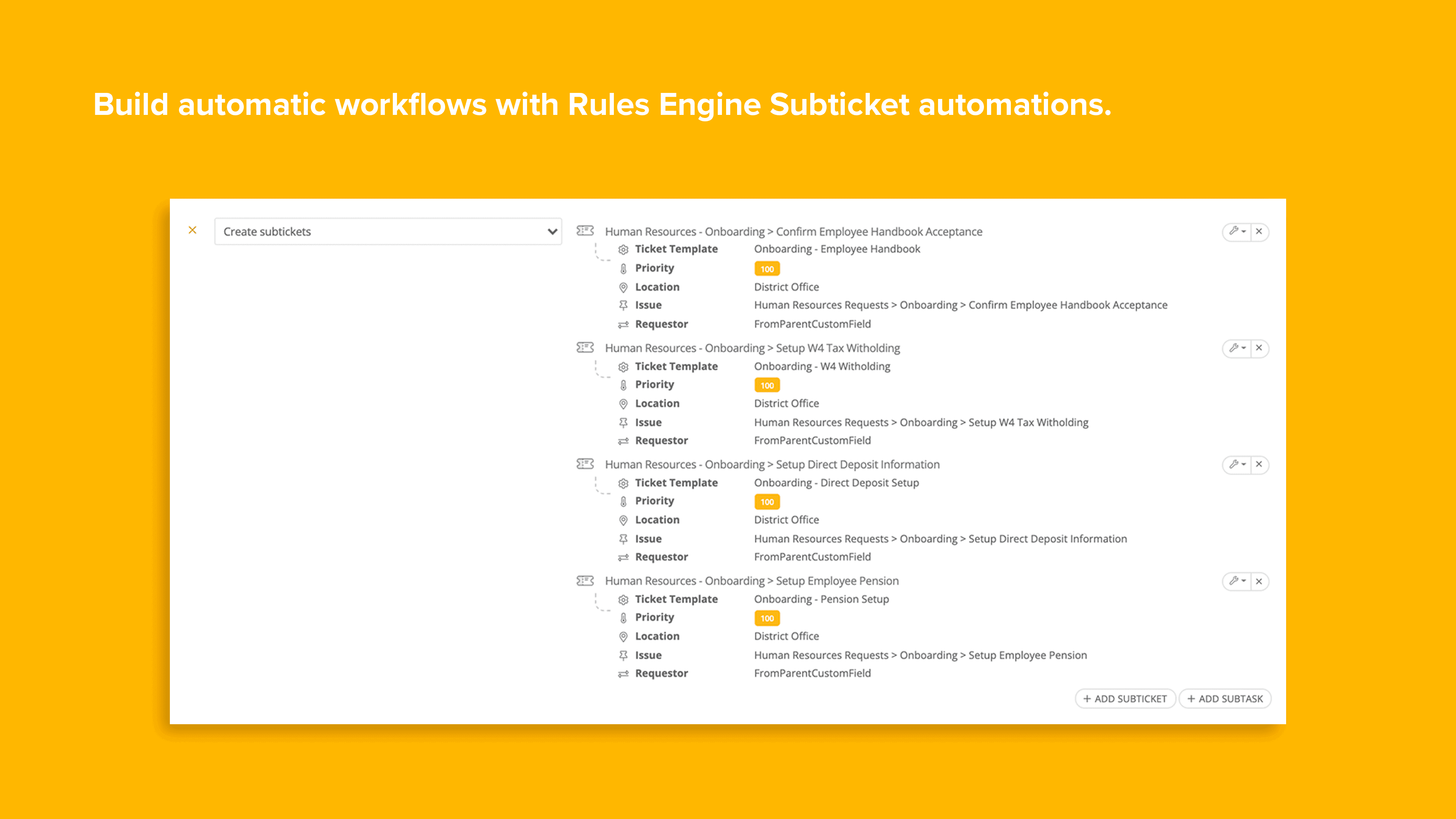
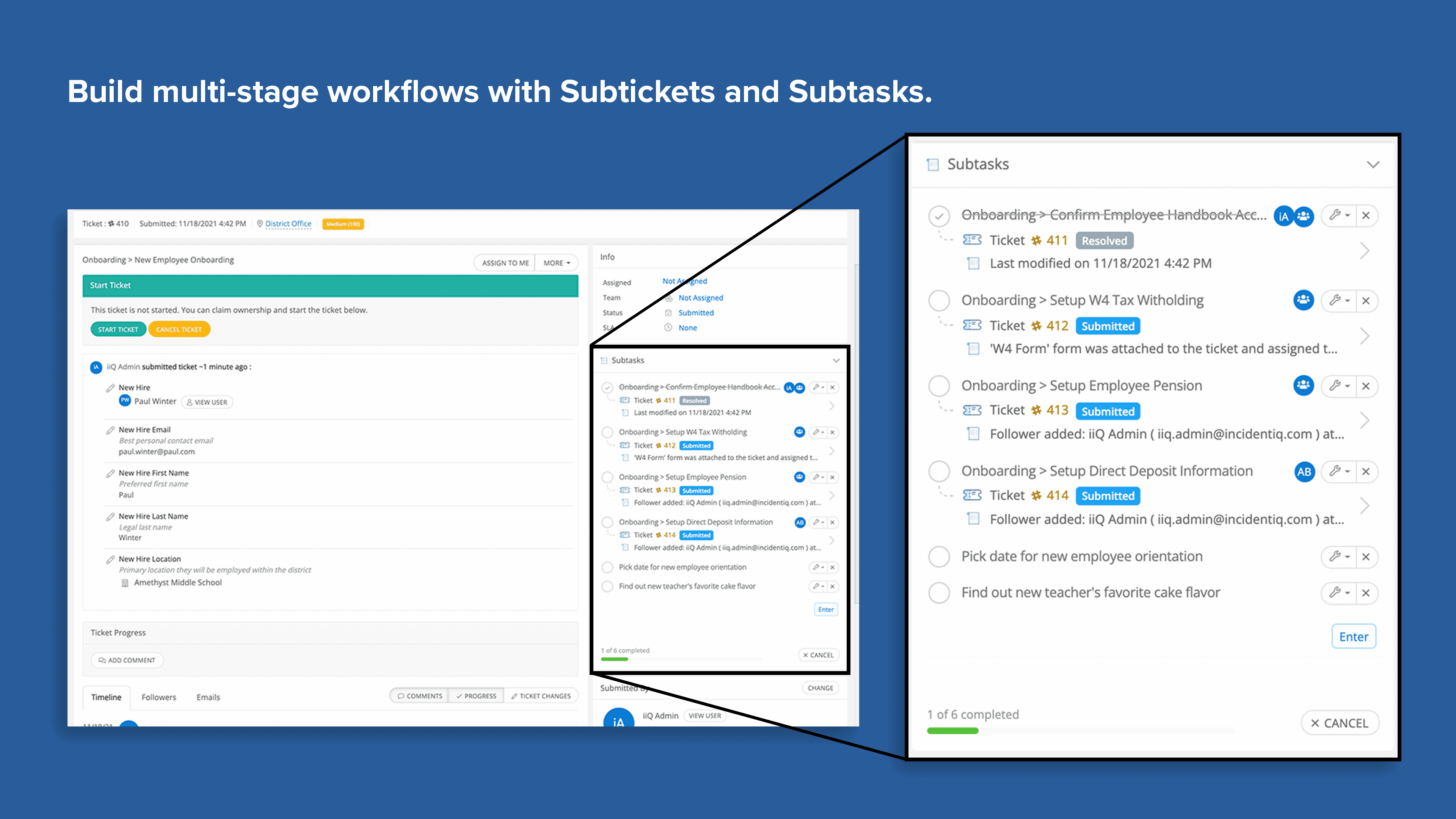
Advanced Ticketing enables districts to create more in-depth workflows with the Incident IQ platform. Assign multiple subtickets nested under a single parent ticket, create a list of tasks for every ticket, and create rules that trigger new tickets to be generated, even across products. This app is available for iiQ Ticketing, iiQ Facilities, and HR Service Delivery.
- Create one or multiple subtickets within a single parent ticket so that complex tasks can be better tracked.
- Assign each subticket to different agents or teams to more accurately maintain accountability on larger projects.
- Create and maintain a list of subtask items on any ticket for a simple list of to-do checklist items.
- Updates to Rules Engine allow triggers to create new independent or subtickets in any Incident IQ product (ex: completion of a ticket in iiQ Facilities can trigger a new ticket in iiQ Facilities, iiQ Ticketing, and HR Service Delivery).